What Is the ASW Weekly Log of Experience Hours?
The “Associate Clinical Social Worker (ASW) Weekly Log of Experience Hours” is the official form issued by the California Board of Behavioral Sciences (BBS) for Associate Clinical Social Workers to document their supervised experience hours toward LCSW licensure. The footer on the form prints a revision date of 08/2022, and the file is named aswlog.pdf. It is the social work equivalent of the equivalent LMFT weekly log, Form 37A-525.
One important rule sits at the top of everything else: use a separate log for each supervisor and for each work setting. With two supervisors in one setting, the BBS recommends recording all experience hours under your primary supervisor; supervision hours you received from the secondary supervisor go on separate logs that supervisor signs (ASW FAQ Q38). If you have one supervisor across two sites, you keep two logs. Each form has rows for up to 10 “Week of:” entries plus a “Total Hours” row at the bottom.
You do not submit the ASW weekly log to the Board unless it is specifically requested. You keep your logs. When you apply, you submit the LCSW In-State Experience Verification form (lcs-exp.pdf) with your Application for LCSW Licensure. You keep the weekly logs and send them only if the Board requests them.
Download the current version
The BBS revises its forms periodically, so always download the current version of the ASW Weekly Log from bbs.ca.gov and follow its instructions.
HourJourney helps you manage forms across multiple supervisors
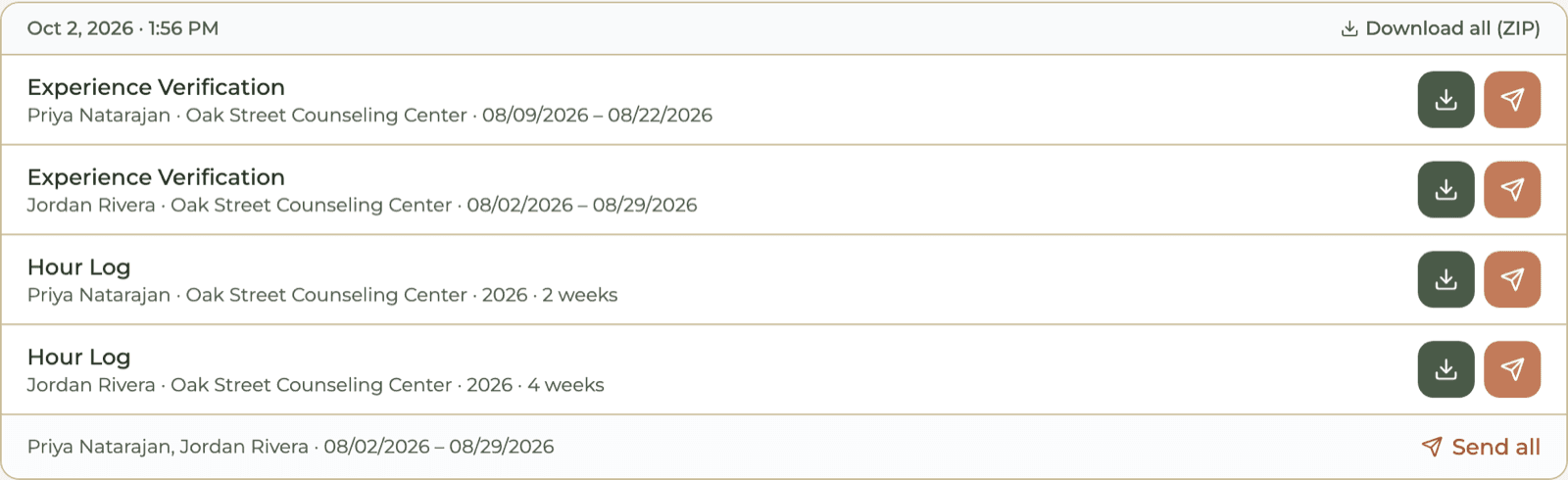
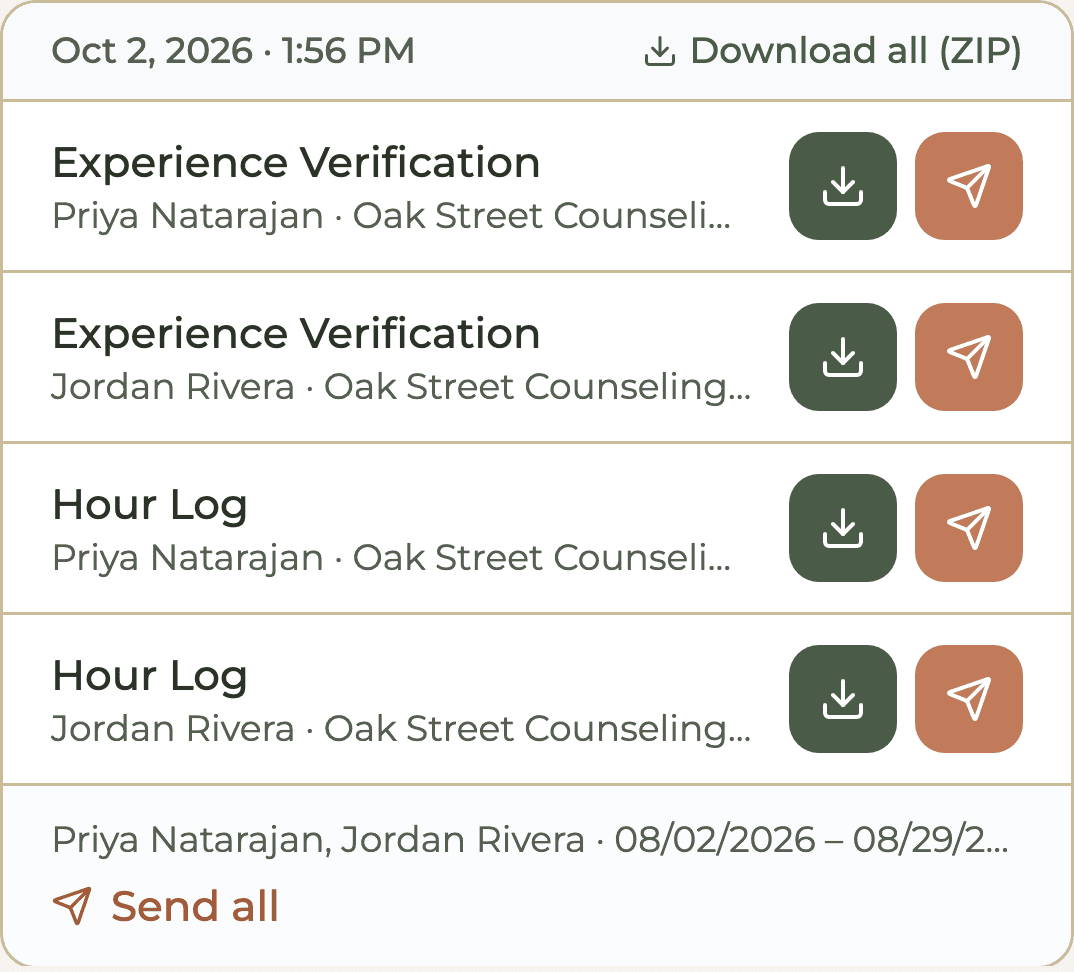
Log each week under the supervisor who oversaw it. At export, HourJourney makes a separate ASW weekly log for every supervisor at every work setting, per calendar year, and an LCSW experience verification for each. Two supervisors at one site give you four forms: two logs and two experience verifications.
Where to Download the LCSW Hours Tracking Form (PDF)
The ASW Weekly Log of Experience Hours is the LCSW hours tracking form PDF that ASWs use to record hours toward LCSW licensure.
The official PDF, aswlog.pdf, is linked from the Board's LCSW applicant page on bbs.ca.gov. Download it directly from the Board rather than a third-party copy, since the BBS publishes the current revision.
You don't have to fill this LCSW hours tracking form out by hand every week. HourJourney maps your logged hours into it automatically.
HourJourney can automatically generate your forms for you
Log your hours once a week. HourJourney writes them into the BBS ASW Weekly Log of Experience Hours, one log per supervisor and work setting, with your name, ASW number, site address, the A, A1, B and supervision columns, and C totaled the way the form defines it. The supervisor signature column stays blank for your supervisor. The LCSW experience verification comes from the same hours.
Filling Out the Header Fields
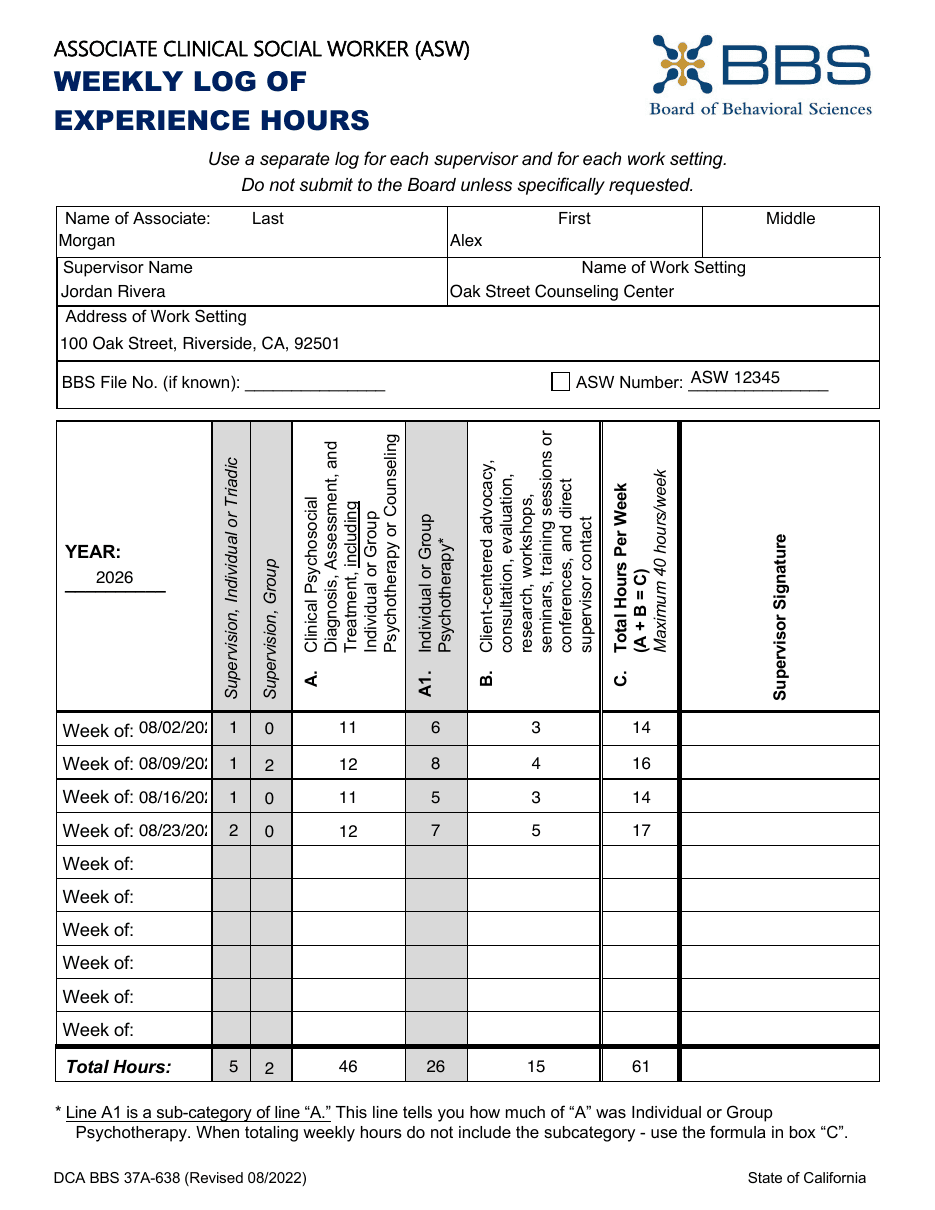
The top of each form identifies whose hours these are, who supervised them, where they were earned, and for which year. Fill in:
Name of Associate
Last, First, Middle.
Supervisor Name
The clinical supervisor who oversaw the hours on this form. One supervisor per form.
Name of Work Setting
The employer or agency where you earned these hours.
Address of Work Setting
The street address of that setting. A new setting means a new form.
BBS File No. (if known)
Your BBS file number, if known.
ASW Number
Your Associate Clinical Social Worker registration number.
YEAR
The year the weekly rows below fall in. (HourJourney exports one log per calendar year.)
Understanding the Columns
Each weekly row records your hours across a handful of categories. The key thing to internalize: A1 is a sub-category of A: it is already counted inside A, so it never gets added again. The form's total formula is A + B = C, so the two supervision columns are not part of the weekly total.
| Column | What It Tracks | Add to C? |
|---|---|---|
| A | Clinical Psychosocial Diagnosis, Assessment, and Treatment, including Individual or Group Psychotherapy or Counseling. Your clinical hours. | YES |
| A1 | Individual or Group Psychotherapy: the portion of Column A that was individual or group psychotherapy. A sub-category of A. | NO |
| B | Non-clinical: client-centered advocacy; consultation, evaluation, and research; workshops, seminars, training sessions or conferences (directly related to clinical social work and approved by your supervisor); and direct supervisor contact. | YES |
| Supervision (Individual or Triadic) | The individual or triadic supervision hours you received that week. | NO |
| Supervision (Group) | The group supervision hours you received that week. | NO |
| C | Total Hours Per Week (A + B = C). The form's label reads Maximum 40 hours/week; the rule credits no more than 40 hours in any seven consecutive days. | TOTAL |
Column A1 records how much of A was individual or group psychotherapy (the form's footnote: “This line tells you how much of ‘A’ was Individual or Group Psychotherapy”). Separately, at least 750 of your 2,000 clinical hours must be face-to-face individual or group psychotherapy provided in the context of clinical social work services (BPC 4996.23(d)(2)). Because A1 is a slice of A, it's already inside your A figure.
Column A: Clinical Psychosocial
Column A is your clinical work: clinical psychosocial diagnosis, assessment, and treatment, including individual or group psychotherapy or counseling. This is the column that drives the bulk of your progress toward the 2,000-hour clinical minimum.
Enter the total clinical hours for that week. Then, in Column A1, enter how many of those hours were specifically individual or group psychotherapy. You're not adding hours, you're labeling a portion of the hours you already entered in A.
Column A1: Individual or Group Psychotherapy
Column A1 records how much of your “A” was individual or group psychotherapy; the form's footnote says this line tells you how much of A was Individual or Group Psychotherapy. The 750-hour minimum is for face-to-face individual or group psychotherapy provided in the context of clinical social work services (BPC 4996.23(d)(2)); the form does not print “face-to-face” on A1.
A1 is a sub-category of A. It is already counted inside Column A. Never add A1 into Column C: doing so double-counts those hours. The form's own footnote warns against it.
Column B: Non-Clinical
Column B captures the non-clinical experience that still counts toward your total. Per the form, that includes:
- Client-centered advocacy
- Consultation, evaluation, and research
- Workshops, seminars, training sessions, or conferences (directly related to clinical social work and approved by your supervisor, BPC 4996.23(d)(3))
- Direct supervisor contact
Across your whole associateship, non-clinical hours are capped at 1,000 of your 3,000 total, so keep an eye on the running B total. Column B's label also lists direct supervisor contact, while the form prints two separate supervision columns; ask your supervisor how to record it.
The Supervision Columns: Individual or Triadic, and Group
The form has two separate columns for the supervision you received that week: Supervision, Individual or Triadic and Supervision, Group. Record the hours in whichever column applies.
The form's total formula is A + B = C, so these columns aren't added into Column C. A few rules worth knowing (these come from the Business and Professions Code, sections 4996.23 and 4996.23.1, not the form itself):
- A maximum of 6 hours of supervision credit per week.
- One additional unit of supervision is required for any week with more than 10 hours of clinical psychosocial diagnosis, assessment, and treatment in a setting.
- A minimum of 1,700 of your 3,000 total hours must be supervised by an LCSW.
Not sure whether your supervisor qualifies to sign these logs? See our guide on who can supervise an ASW in California.
Column C: The Weekly Total, A + B = C
Column C is the weekly total, and the formula is short:
C = A + B
A1 is NOT added: it is already inside A. No more than 40 hours credited in any seven consecutive days.
Here is a worked example. Say in one week you logged:
Column C = 22 + 5 = 27. Not 41. The 14 hours in A1 are already inside your 22 in Column A, so you don't add them again. Supervision hours aren't added to C either. If you summed everything (22 + 14 + 5 + 2), you'd be double-counting 16 hours.
No more than 40 hours of experience are credited in any seven consecutive days, across all your settings combined (BPC 4996.23(d)(5)). Hours above that are not credited. (The form's column C label reads “Maximum 40 hours/week”.)
HourJourney calculates this for you so you don't have to worry
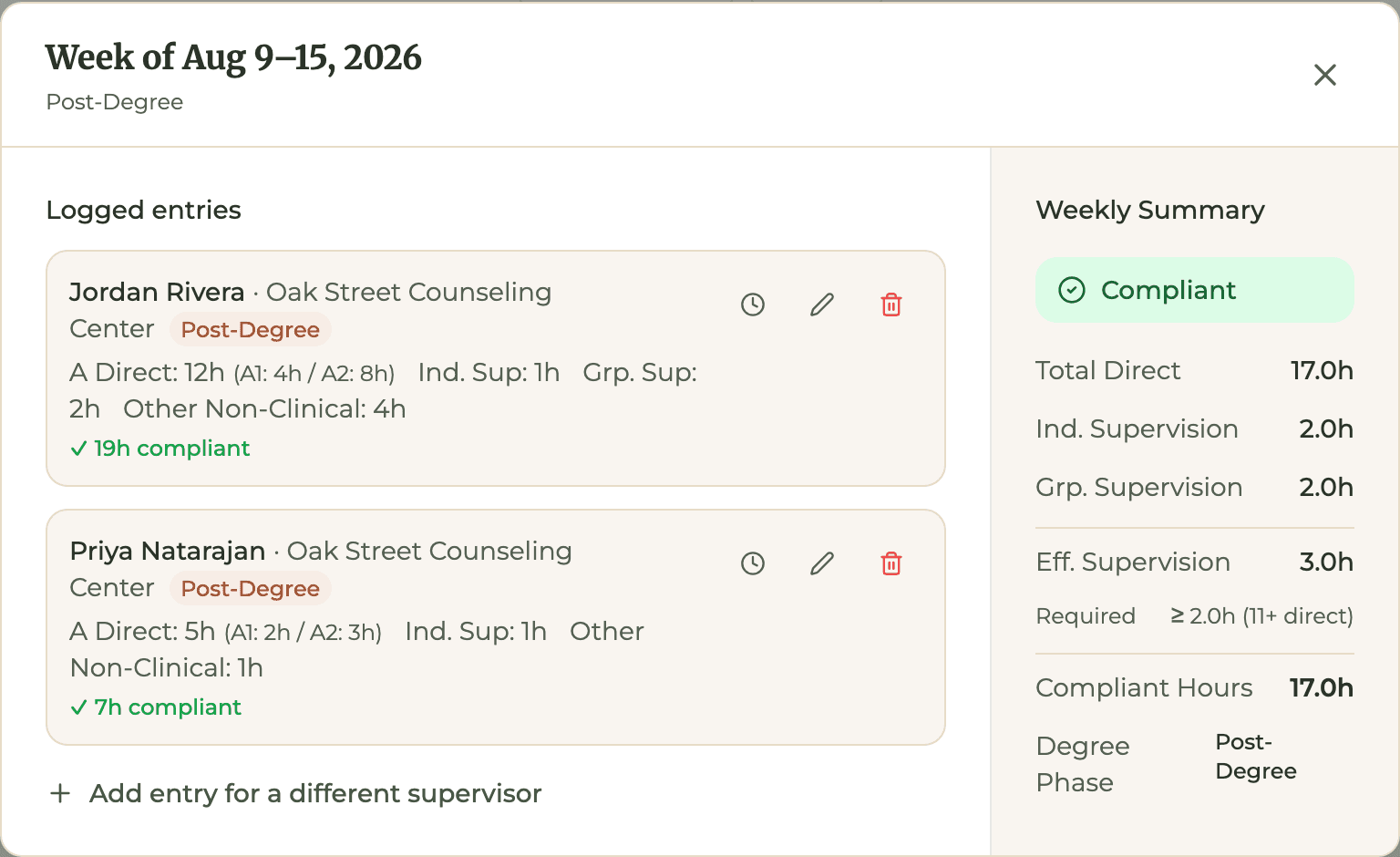
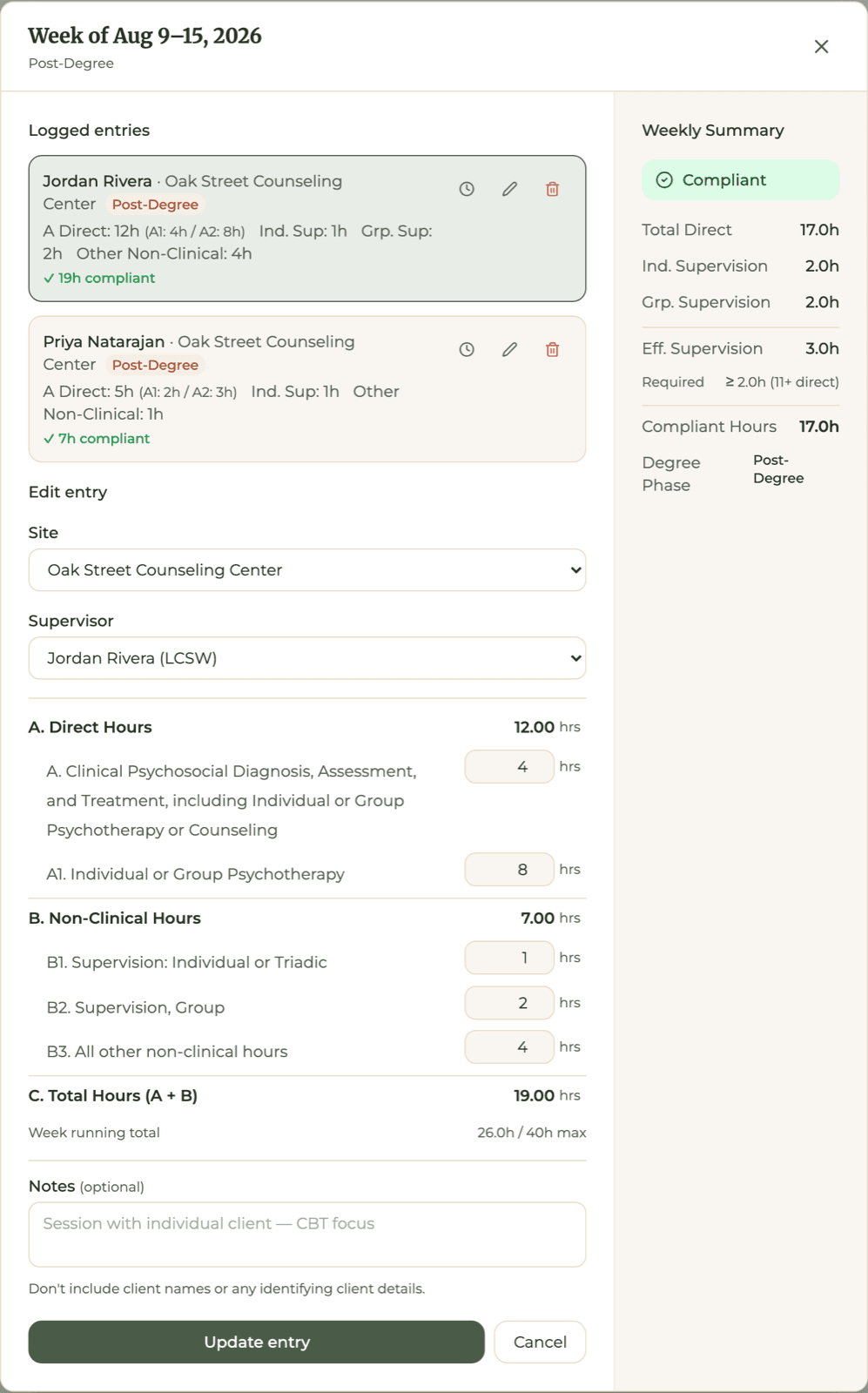
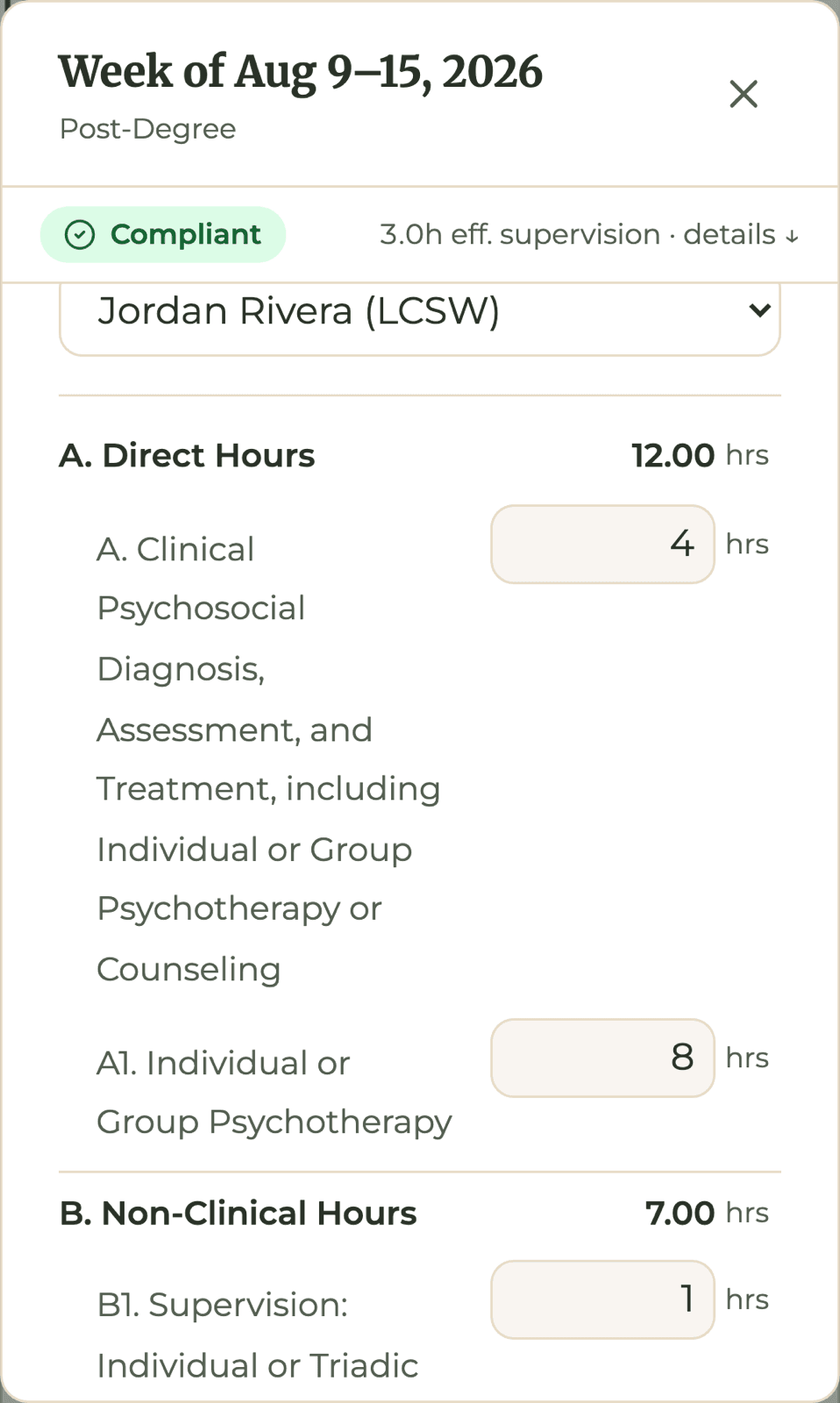
You type your clinical hours and the psychotherapy portion, plus your supervision and other non-clinical hours. HourJourney keeps A1 inside A, keeps the supervision columns out of C, and carries the same numbers onto the form.
- A1 is never added to C; it labels part of A.
- A week over 40 hours, or over the 6-hour weekly supervision credit, cannot be saved.
Supervisor Signatures & the “Total Hours” Row
Each weekly row has a Supervisor Signature area, and your supervisor signs off on each week's entries. Have your supervisor sign each week as it is completed (ASW FAQ Q37). At the bottom of the form, the “Total Hours” row sums each column down the page.
A new supervisor or work setting needs its own log. With two supervisors in one setting, follow the BBS recommendation above (ASW FAQ Q38).
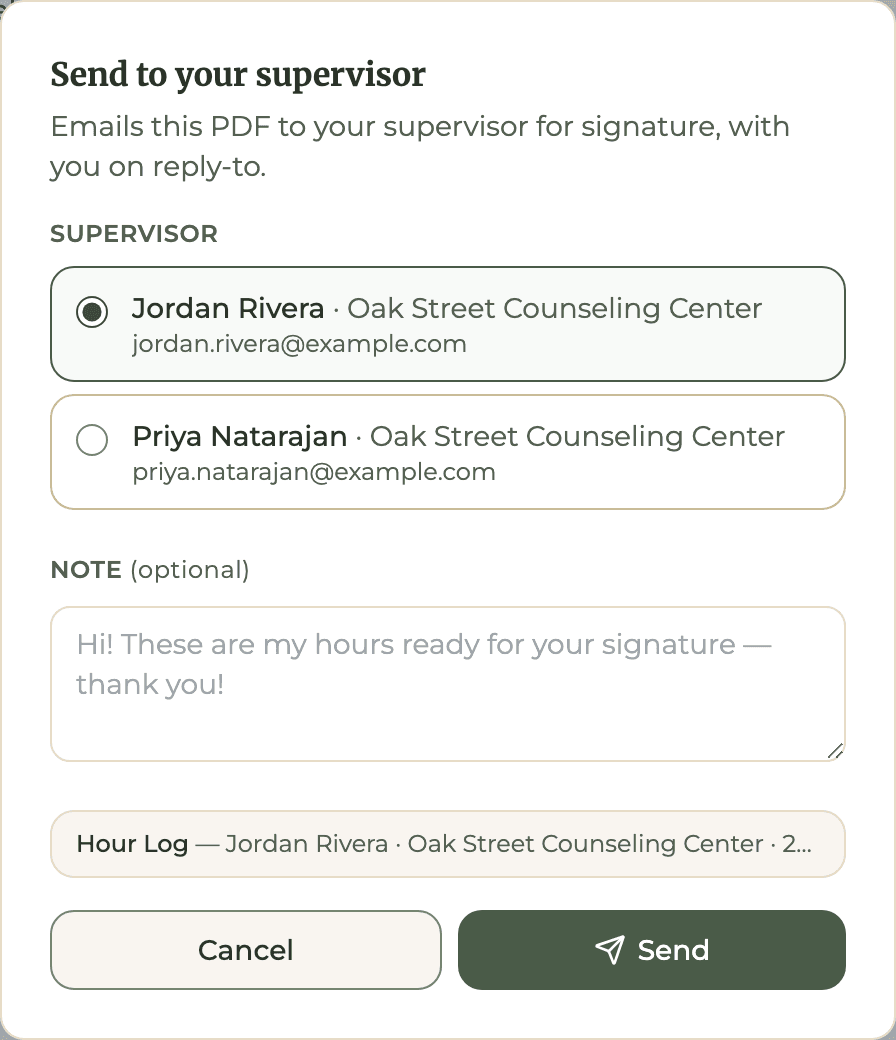
Send it for signature from the HourJourney app
Every week needs its own signature, so the signature column is left blank for your supervisor. With HourJourney Plus you email the PDF to your supervisor from the export page, with you on reply-to, and see when it was delivered and opened.
Do You Submit the ASW Weekly Log to the BBS?
No, not unless the Board specifically requests it. You hold onto your completed, signed weekly logs. When you're ready to apply for licensure, you submit the LCSW In-State Experience Verification form (lcs-exp.pdf) with your Application for LCSW Licensure. You keep the weekly logs and send them only if the Board requests them.
Back up everything
Scan every signed log the week your supervisor signs it. Name files consistently (for example, ASWlog_SupervisorName_2026_Site.pdf) and keep both physical and digital copies. Applicants can lose experience hours if the forms are not signed as required (ASW FAQ Q37). For the full picture of what you're working toward, see how to track LCSW hours in California.
How the Weekly Log Fits the LCSW Timeline
The ASW weekly log is the raw material for everything downstream. ASWs accrue 3,000 total hours over a minimum of 104 weeks toward LCSW licensure, with a minimum of 2,000 clinical hours (including a minimum of 750 face-to-face individual or group psychotherapy hours), a maximum of 1,000 non-clinical hours, and a minimum of 1,700 hours supervised by an LCSW. The log records the weekly hours behind the 3,000, 2,000, 750 and 1,000 figures.
We won't re-explain all the rules here; the full breakdown lives in our guide on how to track LCSW hours in California. You can also see where you stand with the LCSW hours calculator for California, and read about the ASW to LCSW path in California for the full journey from registration to license.
FAQ: The ASW Weekly Log of Experience Hours
What is the ASW Weekly Log of Experience Hours?+
It is the official weekly log issued by the California BBS for Associate Clinical Social Workers to record their supervised experience hours toward LCSW licensure (file: aswlog.pdf). You keep your logs and send them only if the Board requests them; you submit the LCSW In-State Experience Verification form (lcs-exp.pdf) with your Application for LCSW Licensure.
What is the Column C formula on the ASW weekly log?+
C = A + B. Column A1 is a sub-category of Column A (it tells you how much of A was individual or group psychotherapy), so you never add A1 to C; it is already counted inside A. The supervision columns are also not added to C. The form's column C label reads Maximum 40 hours/week; the rule counts no more than 40 hours of experience in any seven consecutive days.
What does Column A1 track?+
Column A1 records how much of Column A was individual or group psychotherapy (the form's footnote: this line tells you how much of A was Individual or Group Psychotherapy). Separately, at least 750 of an ASW's 2,000 clinical hours must be face-to-face individual or group psychotherapy provided in the context of clinical social work services (BPC 4996.23(d)(2)).
Do I submit the ASW weekly log to the BBS?+
No, not unless the Board specifically requests it. You keep your completed, signed weekly logs and submit the LCSW In-State Experience Verification form (lcs-exp.pdf) with your Application for LCSW Licensure.
How many ASW weekly logs do I need?+
The form says to use a separate log for each supervisor and each work setting. With two supervisors in one setting, the BBS recommends recording all experience hours under your primary supervisor; supervision hours you received from the secondary supervisor go on separate logs that supervisor signs (ASW FAQ Q38). One supervisor at two sites means two logs. Each form has rows for up to 10 'Week of:' entries plus a 'Total Hours' row.
What is the maximum hours per week on the ASW weekly log?+
The form's column C label reads Maximum 40 hours/week. The rule is that no more than 40 hours of experience are credited in any seven consecutive days across all settings, and no more than 6 hours of supervision are credited in any single week (BPC 4996.23(d)(5)-(6)).
When do ASWs need an extra unit of supervision?+
The BBS requires one additional unit of supervision for any week in which an ASW performs more than 10 hours of clinical psychosocial diagnosis, assessment, and treatment in a setting. This is in BPC 4996.23.1(a)(2), not printed on the weekly log.
Which form do LMFT associates use instead?+
AMFTs and MFT Trainees use the equivalent LMFT weekly log, Form 37A-525, which uses a similar A/B/C structure. The ASW weekly log (aswlog.pdf) is specific to the LCSW track.
Can HourJourney auto-fill the ASW weekly log?+
Yes. HourJourney maps your logged hours to the columns, computes C as A + B, keeps A1 inside A, shows your 750-hour psychotherapy progress, stops you saving a week over 40 hours or over the 6-hour weekly supervision credit, and exports a pre-filled PDF per supervisor, work setting and calendar year, with every page totaled and the signature column blank.
Where can I download the LCSW hours tracking form PDF?+
The LCSW hours tracking form is the ASW Weekly Log of Experience Hours, filed as aswlog.pdf. The Board links it from its LCSW applicant page (bbs.ca.gov/applicants/lcsw.html), so download it there rather than from a third-party copy. HourJourney also exports this form pre-filled from your logged hours.
Related Guides
How to Track LCSW Hours in California
The hour minimums, maximums and supervision rules for the LCSW track.
California LCSW Hours Requirements (2026)
How many supervised hours the LCSW takes, with the caps and the six-year rule.
What Counts as Clinical Hours for LCSW
The 2,000 clinical and 750 psychotherapy structure, and what the statute lists as non-clinical.
LCSW Hours Calculator (California)
See where you stand against the 3,000-hour requirement.
Who Can Supervise an ASW in California
Who qualifies to sign your weekly logs and verify your hours.
The ASW to LCSW Path in California
From registration to license: the full journey, step by step.
BBS Form 37A-525: The Equivalent LMFT Weekly Log
How the LMFT weekly log works: the MFT-track counterpart to this form.
This guide reflects the Associate Clinical Social Worker (ASW) Weekly Log of Experience Hours (revision date printed on the form: 08/2022). The BBS revises its forms periodically, so always download the current version of the ASW Weekly Log from bbs.ca.gov and follow its instructions.
This guide is for informational purposes only. Always verify form requirements directly with the BBS at bbs.ca.gov.